Original Blog
Best Apps to Shrink Screen Time, Improve Focus, and Reduce Smartphone Usage
Abstract
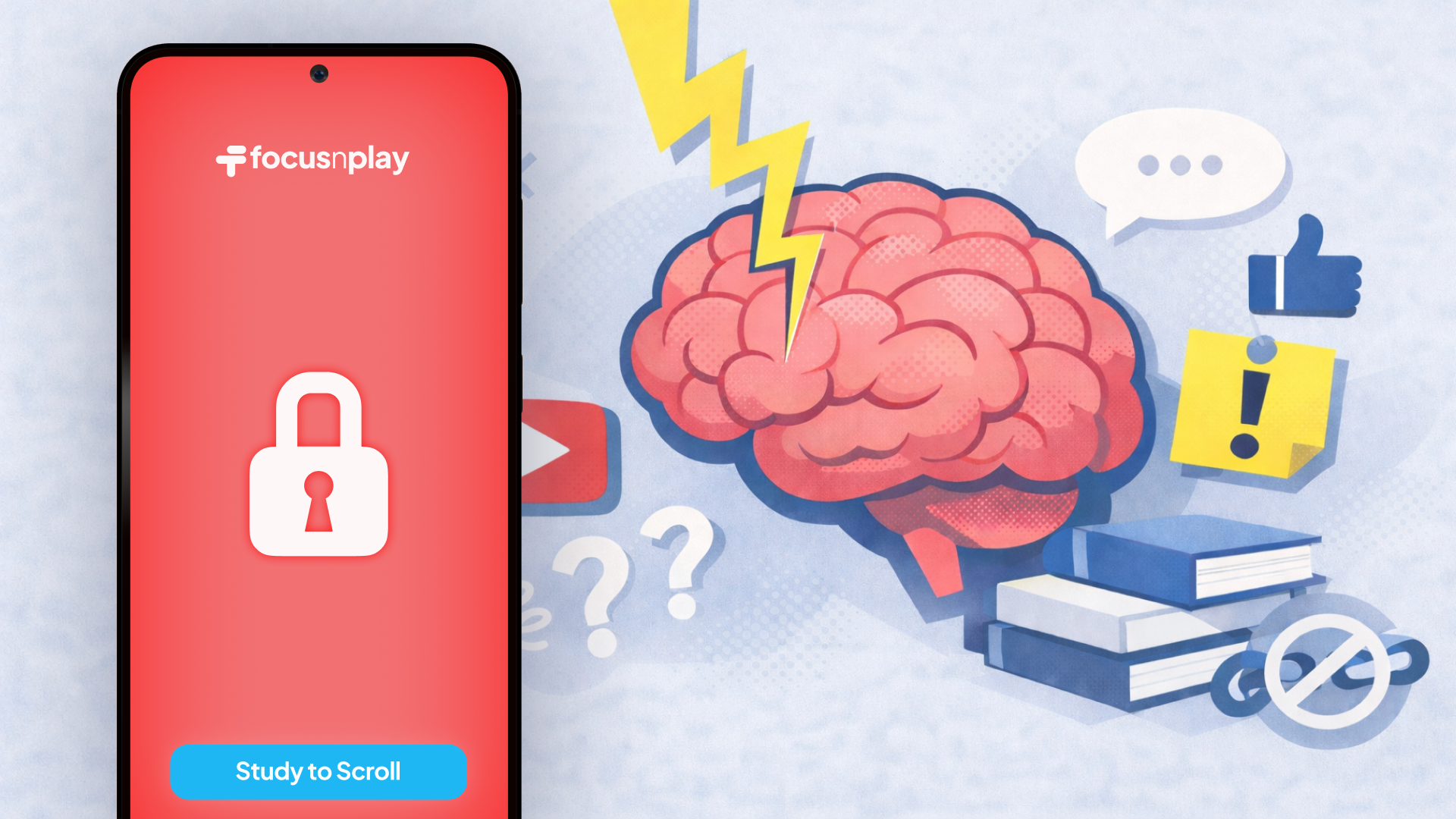
Smartphone addiction (doomscrolling) has become a growing concern for mental health and productivity. With the average person spending over four hours daily on their phone, finding effective tools to manage screen time is now an emergency. This guide reviews the best app blockers and screen time management tools available today, helping you reclaim focus, improve digital wellbeing, and build healthier daily habits. From the gamified Study to Scroll approach that's growing in popularity, to customizable timers and minimalist functions, these apps offer proven strategies to reduce phone usage and increase productivity.
Facts and figures:
- 5 hours 16 minutes - American adults' average daily phone use (14% increase from 2024)
- 6 hours 27 minutes - Gen Z's average daily phone use
- 50.4% - Percentage of teens with 4+ hours of daily screen time (CDC study, July 2021-December 2023)
- 27.1% vs 12.3% - Anxiety rates in high vs low screen time teens (same CDC study)
- 25.9% vs 9.5% - Depression rates in high vs low screen time teens (same CDC study)
Why use an screen time management app?
Before smartphones became our companions, people didn't need app blockers. But the invention of infinite scroll feeds and notification-driven social platforms, our phones are turning into attention traps. The result? Productivity loss, interrupted focus, and negative impacts on mental health.
These screen time apps work by adding some sort of friction between you and your most distracting apps. Whether it's temporary block, scheduling block, or gamified block, these tools will surely help you slowly gain phone habits, pushing your mind to the peak state once again.
My own experience with screen time apps
For the past five years I tried many, many app blockers. Cold turkey blocking apps like Freedom were straightforward yet blunt. Forest was fun at first - planting trees while you focus sounded interesting, but after a while the game just feels pointless. None of these apps became my long-lasting solution, because none of them were engineered to match users behaviour and true motives.
I built FocusNPlay because existing app blockers weren't solving the real issue. The moment I needed to check something on my phone during a blocking session, I'd get frustrated, and I'd disable, or even uninstall them. Cold turkey blocking only works for someone who has inhuman willpower, which I clearly didn't.
FocusNPlay uses reward-feedback instead of just blocking. The Study to Scroll feature came from a simple realization: if I'm going to scroll anyway, why not add something productive beforehand? Turning that desire into learning momentum made the entire experience feel positive rather than restrictive. More importantly, this method hits two birds with one stone, enabling even the most common users to save some time and do more.
This guide ranks FocusNPlay first because it's something that has truly worked well for me and my student friends. But I do believe that different approaches work for different people. If reward-based systems don't appeal to you, options 2-8 are still the current market choices that are worth trying.
The best apps to block distractions and reduce screen time
1. FocusNPlay – the gamified screen time solution
Platform: Android, iOS (coming soon)
Price: Mostly freetier, $8.99/month.
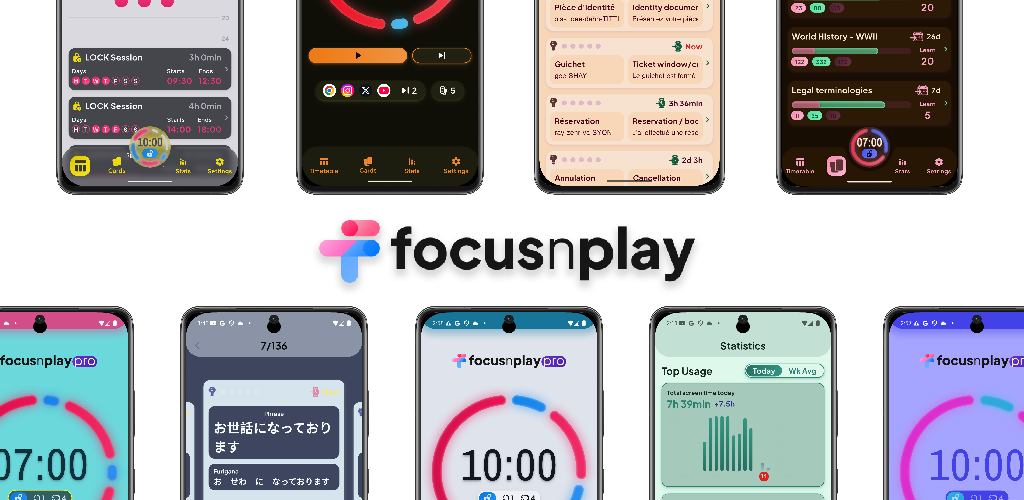
FocusNPlay stands out from every other app blocker because it doesn't just block apps — it transforms screen time reduction into an engaging challenge. Instead of relying on willpower alone, FocusNPlay uses behavioral psychology to make reducing phone usage actually rewarding.
Users report significant results within just two weeks: screen time decreases ranging from 30 minutes to 3 hours daily, while simultaneously learning 80+ new concepts through the Study to Scroll feature — converting wasted time to real studying.
Why is FocusNPlay the most effective tool
Study to Scroll - Unblock apps by studying
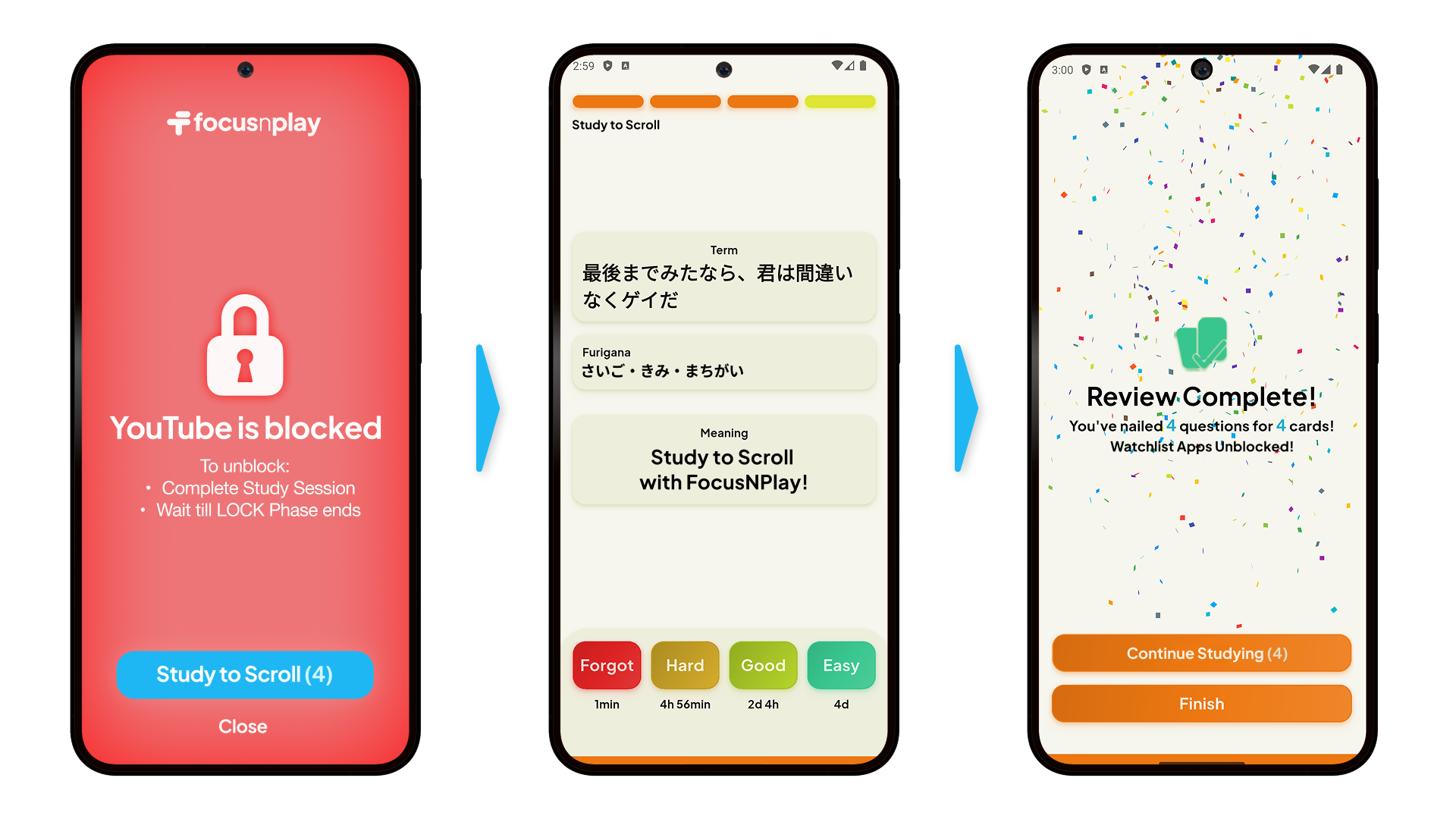
This is where FocusNPlay shines. Unlike traditional app blockers that simply lock you out, Study to Scroll lets you earn access to blocked apps by completing mini study sessions. Want to check Instagram? Complete a quick learning module first. This approach turns your desire to scroll into productive momentum.
This technique works because it creates no frustrations. You're no longer being punished for wanting to scroll a little longer — you're offered a choice to complete the task first. Over time, you will find each and every minute you spend on scrolling hard fought, slowly shifting away from being a doomscroller.
Phase Timer - Pomodoro app block timer with various split durations
Most app blockers offer basic scheduling. FocusNPlay's Phase Timer takes this further with variable split durations that adapt to how you actually work. Instead of rigid 25-minute / 5-minute Pomodoro sessions, you can create custom phase durations that match your workflow.
Block social media during deep work phases, then allow access during break phases. The timer automatically switches app block based on which phase you're in, so you don't have to manually toggle settings.
Scheduled blocking
Find the deep-focus hours like in the morning or before bedtime, on the recurring days and set schedule block for those time periods. For instance, you won't be able to access social media from 9am to 5pm on weekdays.
Smart blocking that actually works
FocusNPlay blocks apps at a system level, preventing you from circumventing restrictions through notifications, or background processes. With Stricter Measures (Pro), the block holds even if you try to uninstall the app or restart your phone during active sessions.
Generous free tier
Unlike most competitors that put important features behind paywalls, FocusNPlay offers its core functionality completely free. You get full access to Study to Scroll, the Phase Timer, scheduled blocks, and lock sessions without paying a cent. The free tier also includes theme customization and all basic blocking features that make the app effective.
This matters because apps like Opal charge $99.99/year for their best features, while Freedom requires a subscription for cross-device blocking. FocusNPlay gives you powerful tools that actually reduce screen time — the learning system, flexible timers, and solid blocking — right from the start. Premium features exist for power users, but the free version is also extremely useful, not just a limited trial designed to push you toward payment.
Who are FocusNPlay designed for
This app is perfect for students who want to study more effectively, and look at their phone less without feeling deprived. The gamification makes it especially brilliant for building healthy habits for people who've tried cold-turkey methods and found it unsustainable.
2. Freedom – cross-platform blocking tool
Platform: Android, iOS, Windows, Mac, Chrome
Price: Free with $8.99/month or $39.99/year
Freedom is the heavyweight choice of app blockers, offering comprehensive blocking across all your devices simultaneously. When you start a Freedom session on your phone, your laptop and tablet get blocked too.
Key features
- Sync blocks across unlimited devices
- Website blocking alongside app blocking
- Locked Mode prevents you from disabling sessions early
- Schedule recurring block sessions for daily routines
Freedom works well for people deeply embedded in the digital ecosystem who need an all-encompassing solution. The locked mode is particularly effective during high-temptation periods.
Limitations
The main drawback is the lack of flexibility. Freedom is built for hard blocking, not gradual behavior change. There's no Study to Scroll equivalent, no phase-based system — just on or off. This is potentially frustrating for users who want more nuanced control.
3. Forest – plant trees while you focus
Platform: Android, iOS
Price: Free (Android), $3.99 (iOS)
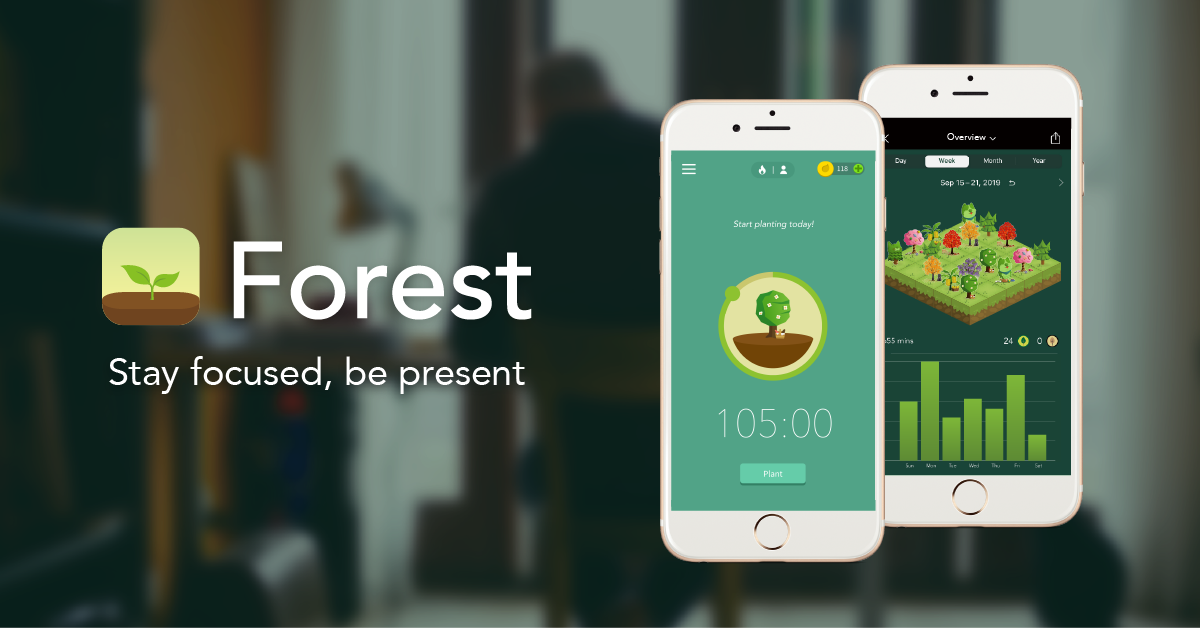
Forest gamifies focus by letting you grow virtual trees when you stay off your phone. The longer you focus, the bigger your tree grows. Leave the app to check social media, and your tree dies.
Key features
- Beautiful, calming visual design
- Real-world impact: Partner with Trees for the Future to plant actual trees
- Social features let you grow forests with friends
- Whitelist feature allows essential apps during focus time
Forest appeals to people motivated by visual progress and environmental impact. The psychology is simple but effective—nobody wants to kill their tree.
Limitations
Forest blocks phone usage broadly rather than targeting specific distraction apps. You can't use your phone for productive tasks without killing your tree. There's also no study-to-unlock feature or flexible phase system like FocusNPlay offers.
4. Opal – manage screen time with style

Platform: iOS, Android (limited), Mac
Price: Free with $9.99/month premium
Opal takes a gamification approach to screen time management, rewarding you with gems, streaks, and a focus score as you complete blocking sessions. The app has built a community of over 4 million users who compete on leaderboards and share their progress.
Key features
- Deep Focus mode prevents you from canceling sessions early (premium only)
- Scheduled recurring blocks that activate automatically
- App ranking system (rate apps from most distracting to most productive)
- Detailed analytics including pickups, focus hours, and comparison with peers
Opal works best for iOS users who prefer simple gamification and quick set-up. The focus score and streak system draws motivation, while Deep Focus mode offers hardcore blocking for maximum productivity.
Limitations
The premium subscription at $99.99/year is one of the pricier options. The free version only allows one recurring focus session, with most features locked behind the paywall. Unless you're using Deep Focus (only in the paid plan), it's possible to stop a session early by opening the app, canceling the timer, or disabling Opal in iPhone's Screen Time settings. Android support is also limited compared to iOS. And while the gamification is engaging, it lacks active learning features like FocusNPlay's Study to Scroll.
5. One Sec – make you think before you scroll
Platform: iOS, Android
Price: Free with $9.99/year premium
One Sec takes a unique approach: instead of blocking apps completely, it adds a brief breathing exercise before you can access distracting apps. This pause creates awareness around mindless phone checking.
Key features
When you tap Instagram, TikTok, or another blocked app, One Sec intercepts the action and asks you to take a deep breath while counting down from 10. After the breathing exercise, you decide whether you still want to open the app.
This moment of conscious choice helps break automatic behavior patterns. Studies show that even a few seconds of delay can reduce impulsive app usage by up to 50%.
Limitations
One Sec is ideal for people who don't want total blocks but need help reducing mindless scrolling. It's less effective for deep focus sessions and offers no study-based unlocking or phase timing features.
6. AppBlock – professional control
Platform: Android, iOS
Price: Free with $2.99/month premium
AppBlock gives users precise control over which apps get blocked when. Create different profiles for work, study, sleep, and leisure with custom rules for each.
Key features
- Profile-based blocking (work mode, study mode, bedtime mode)
- Strict Mode prevents you from changing settings during active blocks
- Quick Block for temporary focus sessions
- Usage statistics and notifications
AppBlock is perfect for users who want detailed customization. The profile system is more sophisticated than most competitors.
Limitations
Despite the granular controls, AppBlock doesn't offer behavioral tools like gamification or study-to-unlock features. It's purely a restriction tool, which can feel punitive over time.
7. Flipd – classroom and group accountability
Platform: Android, iOS
Price: Free with $5.99/month premium
Flipd was designed for classrooms but works equally well for study groups, accountability partners, or team productivity sessions. Lock your phone and share your progress with others.
Key features
- Group sessions where everyone locks their phones together
- Leaderboards track who stays focused longest
- Full Lock Mode is unbreakable—even uninstalling won't help
- Integration with classroom management systems
Flipd excels in social accountability scenarios. If you're more likely to stay focused when others are watching, this app leverages that motivation effectively.
Limitations
The social features can feel like pressure rather than support for some users. There's no solo gamification like FocusNPlay's study system, and the interface feels dated compared to newer competitors.
8. Space – gentle nudges instead of hard blocks
Platform: Android, iOS
Price: Free
Space takes a coaching approach to screen time reduction. Instead of blocking apps, it sends gentle reminders about your goals and helps you build awareness around phone usage patterns.
Key features
- Set daily phone usage goals
- Receive notifications when you approach limits
- Track which apps consume most of your time
- Complete small challenges to reduce usage gradually
Space is great for people starting their screen time reduction journey who aren't ready for strict blocking. The gentle approach builds sustainable habits.
Limitations
Without enforcement, Space relies entirely on your self-control. There's no locking mechanism, no study-to-unlock feature, and no phase-based blocking system. Some users need stronger intervention.
How to choose the right screen time app for you
Consider these questions when selecting an app blocker:
What's your primary goal?
Deep work and productivity: FocusNPlay's Phase Timer or Freedom's cross-platform blocking
Breaking social media addiction: FocusNPlay's Study to Scroll or One Sec's mindful pausing
General awareness: Space or Opal's analytics
Group accountability: Flipd's social features
How much restriction do you need?
People respond differently to blocking strategies. Some thrive with hard blocks (Freedom, AppBlock), while others do better with friction-based systems (One Sec) or reward-based approaches (FocusNPlay, Forest).
If you've tried hard blocking and felt resentful or repeatedly disabled the app, gamified systems like FocusNPlay work better because they give you agency while still creating structure.
What platform do you use?
iOS-only options: Opal
Android-specific: AppBlock
Cross-platform: FocusNPlay, Freedom, Forest, One Sec
What's your budget?
Free options: FocusNPlay (with premium features), Space, Forest (Android), AppBlock
Best value premium: FocusNPlay, One Sec ($9.99/year)
Premium investment: Freedom ($39.99/year), Opal ($9.99/month)
Building sustainable digital habits
App blockers are only part of the solutions. The most successful users combine blocking apps with these strategies:
Start small
Choose your three most distracting apps and block those during your most important work hours. Expand block time gradually as you get used to it.
Use environmental design
Put your phone in another room during deep work. Remove social media apps from your home screen. Turn off non-essential notifications. App blockers work best when combined with environmental changes.
Replace, don't just remove
When you block scrolling apps, have alternatives ready. Keep a book nearby, prepare offline hobbies, or spend some times for excercises. Empty time leads to cravings.
Track your progress
Most screen time apps include analytics. Check screen time reports to see improvements and identify remaining trouble spots, and celebrate small wins to maintain motivation.
Adjust your approach
If a blocking strategy isn't working after two weeks, try a different app or method. FocusNPlay's gamified approach works for some people, while others prefer Freedom's strict blocking. So find what fits your personality.
The relationship between mental health and screen time
Research consistently links excessive screen time with increased anxiety, depression, and poor sleep quality. Social media apps specifically correlate with negative self-comparison and reduced life satisfaction.
Using app blockers isn't just about productivity — it's also about mental health. By reducing compulsive phone checking, you create space for:
- Real-world social connections;
- Time to touch grass;
- Deep reading and focused learning;
- Mindfulness and self-reflection;
- Better sleep hygiene.
The apps ranked here all serve the real purpose of digital wellbeing, the only question left for you is - what is the truly sustainable approach that is long lasting and habit-building?
Final thoughts: Which app should you try first?
For most people, FocusNPlay offers a suite of tools that are built for effectiveness and sustainability. The Study to Scroll feature creates habits for you by turning screen time into rewards, instead of utilizing pure restriction, while the Phase Timer provides flexible time schedules for work styles of all kinds.
If you need maximum restriction across all devices, Freedom is the way to go. For iOS users wanting simple blocking experience, Opal is worth trying. And if you're just beginning to address screen time, Space or One Sec provide gentler entry points.
Actually guess what - it doesn't matter which tool you use - the key is starting today. Choose any app blocker, download it, try it - set up your first session, and experience how much more time and focus you actually have when your phone isn't constantly pulling your attention.
Your future self will thank you for being more focused, less anxious, and more importantly, better equipped to tackle what matters most.